Screen Shake
Camera shake on impact, explosion, or emphasis. One of the most powerful feedback tools - and one of the most overused.
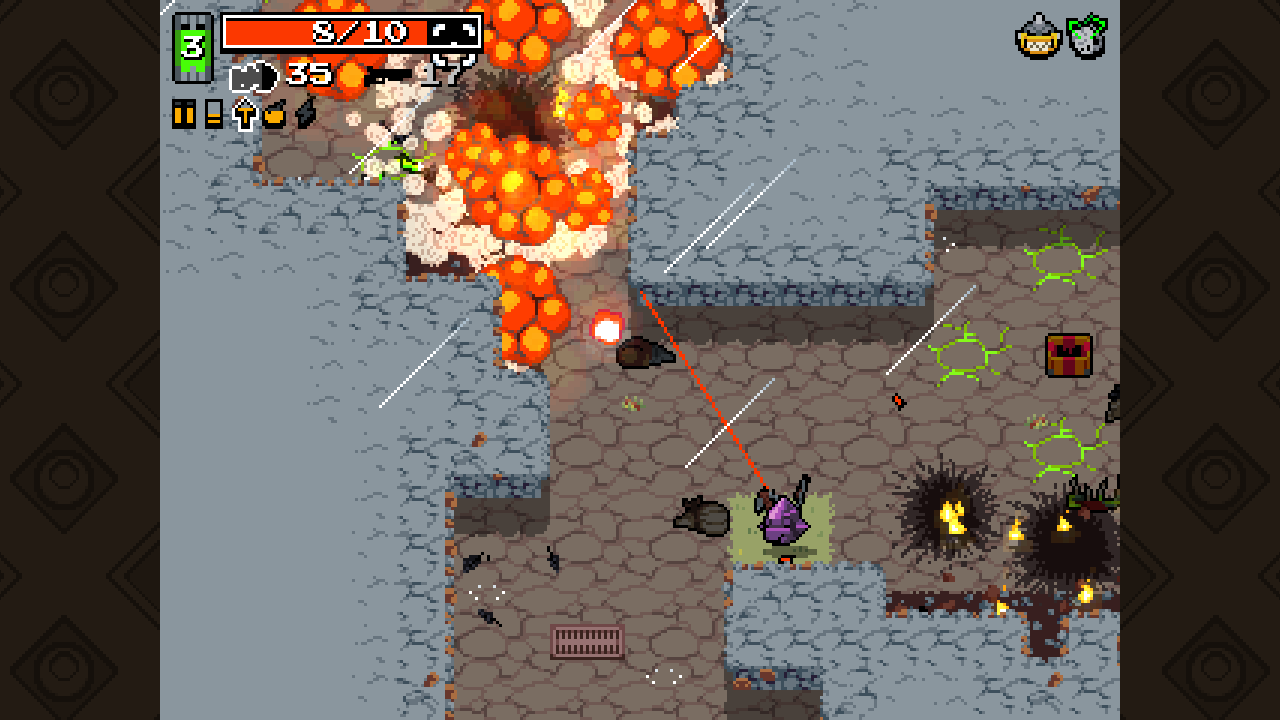
The Feel
Screen shake says: something important happened. It's emphasis. Exclamation point. Used well, it makes impacts feel weighty. Used poorly, it makes videogames feel noisy.
Exposed Variables
| Variable | Type | Default | What it does |
|---|---|---|---|
intensity |
float | 5.0 | Maximum pixel offset from center |
duration |
float | 0.2 | How long shake lasts (seconds) |
decayType |
enum | Linear | How intensity decreases (Linear, Exponential, None) |
frequency |
float | 30.0 | How many shake "hits" per second |
rotationIntensity |
float | 0.0 | Camera rotation shake (degrees) |
shakePattern |
enum | Random | Pattern of offset (Random, Perlin, Directional) |
direction |
Vector2 | null | For Directional pattern: bias direction |
Tuning Guide
Subtle impact (footsteps, small hits):
intensity: 1-3duration: 0.05-0.1decayType: ExponentialrotationIntensity: 0
Medium impact (melee hits, jumps landing):
intensity: 5-10duration: 0.1-0.2decayType: LinearrotationIntensity: 0-1
Heavy impact (explosions, boss hits):
intensity: 15-25duration: 0.2-0.4decayType: ExponentialrotationIntensity: 1-3
Directional impact (knockback, recoil):
shakePattern: Directionaldirection: Opposite of force direction- Shorter
duration, higher initialintensity
Pseudocode
Pseudocode
On Shake Trigger:
  - Set shake timer to duration
  - Store base intensity

Every Frame (while shaking):
  - Calculate current intensity (based on decayType)
  - Generate offset based on shakePattern
  - Apply offset to camera position
  - If rotationIntensity > 0: apply rotation offset
  - Decrement timer

On Shake End:
  - Smoothly return camera to base position
Unity Setup
- Add to Camera:
- Add
ScreenShake.csto your Main Camera - Or create an empty "CameraShake" child of Camera
- The script uses singleton pattern - easy access from anywhere
- Add
- Call from Game Events:
ScreenShake.Instance.Shake(intensity, duration);- Or use presets:
ScreenShake.Instance.ShakeLight();
- IMPORTANT - Accessibility:
- Connect the
globalIntensityMultiplierto your settings menu - Set to 0 to disable shake entirely
- Expose as a slider (0-100%)
- This is required accessibility, not optional polish
- Connect the
- Camera Follow Note:
- If using Cinemachine, use their impulse system instead
- If using custom camera follow, apply shake AFTER follow logic
The Script
ScreenShake.cs
// ============================================================
// ScreenShake.cs
// Camera shake with multiple patterns, decay types, and
// accessibility support. Singleton for easy access.
// Unity 6.x
// ============================================================

using UnityEngine;

public enum ShakeDecayType
{
    None,        // Constant intensity throughout
    Linear,      // Steady decrease
    Exponential  // Fast decrease that slows down
}

public enum ShakePattern
{
    Random,      // Random direction each frame
    Perlin,      // Smooth noise (less jittery)
    Directional  // Biased toward a direction
}

public class ScreenShake : MonoBehaviour
{
    // ========================================================
    // SINGLETON
    // ========================================================

    public static ScreenShake Instance { get; private set; }

    // ========================================================
    // ACCESSIBILITY - CRITICAL!
    // ========================================================

    [Header("Accessibility Settings")]
    [Tooltip("Global shake intensity multiplier (0 = disabled). Connect to settings menu!")]
    [SerializeField] [Range(0f, 1f)] private float globalIntensityMultiplier = 1f;

    // ========================================================
    // PRESET INTENSITIES
    // ========================================================

    [Header("Preset Values")]
    [Tooltip("Light shake: intensity")]
    [SerializeField] private float lightIntensity = 0.1f;
    [Tooltip("Light shake: duration")]
    [SerializeField] private float lightDuration = 0.05f;

    [Tooltip("Medium shake: intensity")]
    [SerializeField] private float mediumIntensity = 0.3f;
    [Tooltip("Medium shake: duration")]
    [SerializeField] private float mediumDuration = 0.15f;

    [Tooltip("Heavy shake: intensity")]
    [SerializeField] private float heavyIntensity = 0.6f;
    [Tooltip("Heavy shake: duration")]
    [SerializeField] private float heavyDuration = 0.25f;

    [Header("Default Settings")]
    [Tooltip("Default decay type for all shakes")]
    [SerializeField] private ShakeDecayType defaultDecayType = ShakeDecayType.Exponential;

    [Tooltip("Default shake pattern")]
    [SerializeField] private ShakePattern defaultPattern = ShakePattern.Perlin;

    [Header("Rotation Shake")]
    [Tooltip("Enable rotation shake (can cause more motion sickness)")]
    [SerializeField] private bool enableRotationShake = false;

    [Tooltip("Maximum rotation in degrees")]
    [SerializeField] [Range(0f, 5f)] private float maxRotation = 1f;

    [Header("Smoothing")]
    [Tooltip("How fast shake returns to zero when done")]
    [SerializeField] [Range(1f, 30f)] private float recoverySpeed = 15f;

    [Header("Debug")]
    [SerializeField] private bool debugMode = false;

    // ========================================================
    // INTERNAL STATE
    // ========================================================

    private Vector3 originalPosition;
    private Quaternion originalRotation;

    // Current shake state
    private float currentIntensity = 0f;
    private float currentDuration = 0f;
    private float shakeTimer = 0f;
    private ShakeDecayType currentDecayType;
    private ShakePattern currentPattern;
    private Vector2 shakeDirection = Vector2.zero;

    // Perlin noise seeds (for smooth shake)
    private float perlinSeedX;
    private float perlinSeedY;

    // Current offset (for smooth recovery)
    private Vector3 currentOffset = Vector3.zero;
    private float currentRotationOffset = 0f;

    // ========================================================
    // PUBLIC PROPERTIES
    // ========================================================

    /// <summary>
    /// True while shake is active
    /// </summary>
    public bool IsShaking => shakeTimer > 0f;

    /// <summary>
    /// Get/set the global intensity (for settings menu)
    /// </summary>
    public float GlobalIntensity
    {
        get => globalIntensityMultiplier;
        set => globalIntensityMultiplier = Mathf.Clamp01(value);
    }

    // ========================================================
    // UNITY LIFECYCLE
    // ========================================================

    void Awake()
    {
        // Singleton setup
        if (Instance != null && Instance != this)
        {
            Destroy(gameObject);
            return;
        }
        Instance = this;

        // Store original transform
        originalPosition = transform.localPosition;
        originalRotation = transform.localRotation;

        // Random perlin seeds
        perlinSeedX = Random.Range(0f, 100f);
        perlinSeedY = Random.Range(0f, 100f);
    }

    void LateUpdate()
    {
        // LateUpdate so shake happens AFTER camera follow

        if (shakeTimer > 0f)
        {
            ProcessShake();
        }
        else
        {
            // Smooth recovery to original position
            RecoverFromShake();
        }
    }

    // ========================================================
    // SHAKE PROCESSING
    // ========================================================

    /// <summary>
    /// Process active shake
    /// </summary>
    private void ProcessShake()
    {
        shakeTimer -= Time.deltaTime;

        // Calculate current intensity based on decay type
        float progress = 1f - (shakeTimer / currentDuration);
        float intensityMultiplier = CalculateDecay(progress);
        float finalIntensity = currentIntensity * intensityMultiplier * globalIntensityMultiplier;

        // Skip if accessibility disabled shake
        if (globalIntensityMultiplier <= 0f)
        {
            return;
        }

        // Generate offset based on pattern
        Vector2 offset = CalculateOffset(finalIntensity);
        currentOffset = new Vector3(offset.x, offset.y, 0f);

        // Apply position offset
        transform.localPosition = originalPosition + currentOffset;

        // Apply rotation if enabled
        if (enableRotationShake && maxRotation > 0f)
        {
            currentRotationOffset = CalculateRotation(finalIntensity);
            transform.localRotation = originalRotation * Quaternion.Euler(0f, 0f, currentRotationOffset);
        }
    }

    /// <summary>
    /// Calculate decay multiplier based on type
    /// </summary>
    private float CalculateDecay(float progress)
    {
        switch (currentDecayType)
        {
            case ShakeDecayType.None:
                return 1f;

            case ShakeDecayType.Linear:
                return 1f - progress;

            case ShakeDecayType.Exponential:
                // Fast falloff that slows down
                return Mathf.Pow(1f - progress, 2f);

            default:
                return 1f - progress;
        }
    }

    /// <summary>
    /// Calculate position offset based on pattern
    /// </summary>
    private Vector2 CalculateOffset(float intensity)
    {
        switch (currentPattern)
        {
            case ShakePattern.Random:
                return new Vector2(
                    Random.Range(-1f, 1f) * intensity,
                    Random.Range(-1f, 1f) * intensity
                );

            case ShakePattern.Perlin:
                // Smooth noise that changes over time
                float time = Time.time * 20f; // Speed of noise change
                float x = (Mathf.PerlinNoise(perlinSeedX + time, 0f) - 0.5f) * 2f * intensity;
                float y = (Mathf.PerlinNoise(0f, perlinSeedY + time) - 0.5f) * 2f * intensity;
                return new Vector2(x, y);

            case ShakePattern.Directional:
                // Bias toward direction, with some perpendicular noise
                float parallel = Random.Range(0.5f, 1f) * intensity;
                float perpendicular = Random.Range(-0.3f, 0.3f) * intensity;
                Vector2 perp = new Vector2(-shakeDirection.y, shakeDirection.x);
                return (shakeDirection * parallel) + (perp * perpendicular);

            default:
                return Vector2.zero;
        }
    }

    /// <summary>
    /// Calculate rotation offset
    /// </summary>
    private float CalculateRotation(float intensity)
    {
        float normalizedIntensity = intensity / currentIntensity;
        return Random.Range(-1f, 1f) * maxRotation * normalizedIntensity;
    }

    /// <summary>
    /// Smooth return to original position
    /// </summary>
    private void RecoverFromShake()
    {
        // Lerp back to original
        currentOffset = Vector3.Lerp(currentOffset, Vector3.zero, recoverySpeed * Time.deltaTime);
        transform.localPosition = originalPosition + currentOffset;

        if (enableRotationShake)
        {
            currentRotationOffset = Mathf.Lerp(currentRotationOffset, 0f, recoverySpeed * Time.deltaTime);
            transform.localRotation = originalRotation * Quaternion.Euler(0f, 0f, currentRotationOffset);
        }
    }

    // ========================================================
    // PUBLIC METHODS - Call these to trigger shake
    // ========================================================

    /// <summary>
    /// Trigger shake with full control
    /// </summary>
    public void Shake(float intensity, float duration,
                      ShakeDecayType decayType = ShakeDecayType.Exponential,
                      ShakePattern pattern = ShakePattern.Perlin,
                      Vector2? direction = null)
    {
        // Don't override stronger shake with weaker one
        if (shakeTimer > 0f && currentIntensity > intensity)
        {
            return;
        }

        currentIntensity = intensity;
        currentDuration = duration;
        shakeTimer = duration;
        currentDecayType = decayType;
        currentPattern = pattern;

        if (direction.HasValue)
        {
            shakeDirection = direction.Value.normalized;
        }
        else
        {
            shakeDirection = Vector2.right;
        }

        // New perlin seeds for variety
        perlinSeedX = Random.Range(0f, 100f);
        perlinSeedY = Random.Range(0f, 100f);

        if (debugMode)
        {
            Debug.Log($"Shake triggered: intensity={intensity}, duration={duration}, pattern={pattern}");
        }
    }

    /// <summary>
    /// Simple shake with just intensity and duration (uses defaults)
    /// </summary>
    public void Shake(float intensity, float duration)
    {
        Shake(intensity, duration, defaultDecayType, defaultPattern);
    }

    /// <summary>
    /// Light shake preset
    /// </summary>
    public void ShakeLight()
    {
        Shake(lightIntensity, lightDuration);
    }

    /// <summary>
    /// Medium shake preset
    /// </summary>
    public void ShakeMedium()
    {
        Shake(mediumIntensity, mediumDuration);
    }

    /// <summary>
    /// Heavy shake preset
    /// </summary>
    public void ShakeHeavy()
    {
        Shake(heavyIntensity, heavyDuration);
    }

    /// <summary>
    /// Directional shake (e.g., recoil, knockback)
    /// </summary>
    public void ShakeDirectional(float intensity, float duration, Vector2 direction)
    {
        Shake(intensity, duration, ShakeDecayType.Exponential, ShakePattern.Directional, direction);
    }

    /// <summary>
    /// Immediately stop shake
    /// </summary>
    public void StopShake()
    {
        shakeTimer = 0f;
    }
}

// ============================================================
// USAGE EXAMPLES:
//
// 1. Basic shake on hit:
//    void OnEnemyHit()
//    {
//        ScreenShake.Instance.ShakeMedium();
//    }
//
// 2. Scaled shake based on damage:
//    void TakeDamage(int damage)
//    {
//        float intensity = Mathf.Clamp(damage * 0.1f, 0.1f, 1f);
//        ScreenShake.Instance.Shake(intensity, 0.15f);
//    }
//
// 3. Directional shake for recoil:
//    void FireWeapon(Vector2 fireDirection)
//    {
//        // Shake opposite to fire direction
//        ScreenShake.Instance.ShakeDirectional(0.2f, 0.1f, -fireDirection);
//    }
//
// 4. Combine with hitstop:
//    void OnBigHit()
//    {
//        HitstopManager.Instance.TriggerHeavyHit();
//        ScreenShake.Instance.ShakeHeavy();
//    }
//
// 5. In your settings menu (REQUIRED!):
//    void OnShakeSliderChanged(float value)
//    {
//        ScreenShake.Instance.GlobalIntensity = value;
//        PlayerPrefs.SetFloat("ScreenShakeIntensity", value);
//    }
//
// 6. For 3D: Same script works, just uses XY offset by default.
//    For full 3D shake, add Z offset in CalculateOffset.
// ============================================================
Common Issues
"The shake is nauseating"
Reduce intensity and duration. Add decayType: Exponential so it calms quickly.
"Everything shakes and nothing feels special"
Shake less often. Reserve for meaningful moments. Create intensity hierarchy.
"The shake feels jittery/wrong"
Try shakePattern: Perlin for smoother noise. Or reduce frequency.
"Players with motion sensitivity can't play"
Always include a shake disable option. This is accessibility, not preference.
Shake Hierarchy
Not all shakes should be equal. Create a hierarchy:
| Event Type | Intensity | Duration |
|---|---|---|
| Ambient (footsteps) | 1-2 | 0.03 |
| Minor impact | 3-5 | 0.1 |
| Standard impact | 8-12 | 0.15 |
| Major impact | 15-20 | 0.2 |
| Boss/explosion | 25+ | 0.3+ |
If everything is at "standard impact" level, nothing stands out.
When NOT to Shake
- Every jump landing (unless you want that)
- Background events player didn't cause
- Menu interactions
- Constant effects (rain, wind) - use subtle camera drift instead
- If the player has shake disabled
Combine With
- Hitstop - freeze THEN shake for maximum impact
- Squash Stretch - visual deformation matches shake
- Landing Impact - shake as part of landing feedback
- Sound - shake without audio feels hollow
Accessibility Note
Screen shake can cause motion sickness, nausea, and disorientation for many players.
Always provide:
- Shake intensity slider (0-100%)
- Or disable option
- Ideally both
This isn't optional. This is basic accessibility.
Why Teach Screen Shake
Screen shake is the canonical example of "juice" - feedback that makes actions feel impactful. It's easy to implement, immediately visible, and demonstrates the power (and danger) of feedback systems.
Teaching Sequence
- Start with NO shake - establish baseline
- Add moderate shake to one event - feel the difference
- Add shake to EVERYTHING - experience the problem
- Create a hierarchy - learn restraint
- Add accessibility options - learn responsibility
Common Student Mistakes
Shake addiction: Students discover shake feels good and add it everywhere. The lesson is restraint: if everything is important, nothing is.
Ignoring accessibility: Students don't think about motion sensitivity until prompted. Make accessibility options a requirement, not an afterthought.
Using wrong pattern: Random shake for directional impacts feels wrong. Teach pattern selection based on the event type.
Assessment
- Can they explain why shake hierarchy matters?
- Can they identify overuse in published videogames?
- Did they implement accessibility options?
Exercise: Shake Audit
Have students play a "juicy" videogame (Nuclear Throne, Vlambeer titles) and document:
- Every event that triggers shake
- Estimated intensity and duration
- What the shake communicates
- What would be lost without it
Heritage Notes
Screen shake entered videogame design from multiple sources:
Film - Handheld camera shake for intensity (Saving Private Ryan, documentary style). Shake communicates chaos, impact, presence.
Arcade games - Physical cabinet shake on certain events. The screen shake simulates what the cabinet did physically.
Modern "juicing" - Vlambeer popularized aggressive shake in indie games. Their GDC talk "The Art of Screenshake" became canonical.
Post-2010, screen shake became standard. Post-2015, the backlash reminded designers to use it judiciously.
Shake as Art Direction
Screen shake is part of the Art of a Gesture. It's not just feedback - it's aesthetic choice. A videogame with heavy shake has a different vibe than one with none.
Consider:
- Nuclear Throne - Heavy shake is part of the chaotic, overwhelming aesthetic
- Celeste - Minimal shake preserves precision platforming clarity
- Dark Souls - Reserved shake emphasizes significant moments
The Vlambeer Legacy
Vlambeer's "Art of Screenshake" talk (GDC 2013) codified what was intuitive knowledge. Key insights:
- Shake makes things feel impactful
- Different shakes for different intensities
- Combine with other feedback (sound, particles, hitstop)
But the talk also triggered overuse. The post-Vlambeer era saw shake everywhere, leading to the current understanding: shake is powerful, but restraint is wisdom.
The Accessibility Imperative
Motion sensitivity affects a significant portion of players. Vestibular disorders, migraines, and other conditions can make screen shake physically painful or nauseating.
This isn't preference - it's access. A videogame without shake options excludes players. The industry consensus now: shake options are not optional.
Unresolved Questions
- How do you balance artistic intent (shake as aesthetic) with accessibility (shake as barrier)?
- Can shake be replaced with other feedback for accessibility without losing impact?
- Is there a "right amount" of shake, or is it purely contextual?
Related
- Hitstop - common pairing
- Accessibility as Craft - shake accessibility
- The 4 A's - shake as part of Art